Your AI Agents Should Work While Your Computer Is Closed
If your agent setup only works while your laptop is open, it is still a helper. The next step is scheduled work with visible output.
Hello and welcome (back) to The Mindshift AI Inference!
If your AI setup only works while your laptop is open, it is still a helper.
That is not bad. A good helper is useful. But it is not yet a system.
The next step is simple: some work should happen on a schedule, even when you are offline. A research assistant should collect material overnight. A monitor should check whether something changed. A project agent should prepare a digest before you start the day.
The question is not whether the agent can produce an answer in a chat window. The question is whether the system can do useful work when you are not there.
Offline does not mean uncontrolled
This is where people often get nervous, for good reasons.
An agent that runs while you are away can become useful, but it can also become dangerous if it acts without boundaries. It should not email customers, publish articles, spend money, or change sensitive instructions without review.
The solution is not to avoid automation. The solution is to separate unattended work from approved action.
Unattended work can gather, summarize, compare, draft, classify, and prepare. Approved action still belongs to a human when reputation, relationships, money, or public visibility are involved.
That boundary makes offline agents practical.
GitHub is a good place for this work
GitHub has two properties that matter for offline automations.
First, it can run scheduled workflows in the cloud. Your laptop does not need to be open for a daily research job to run.
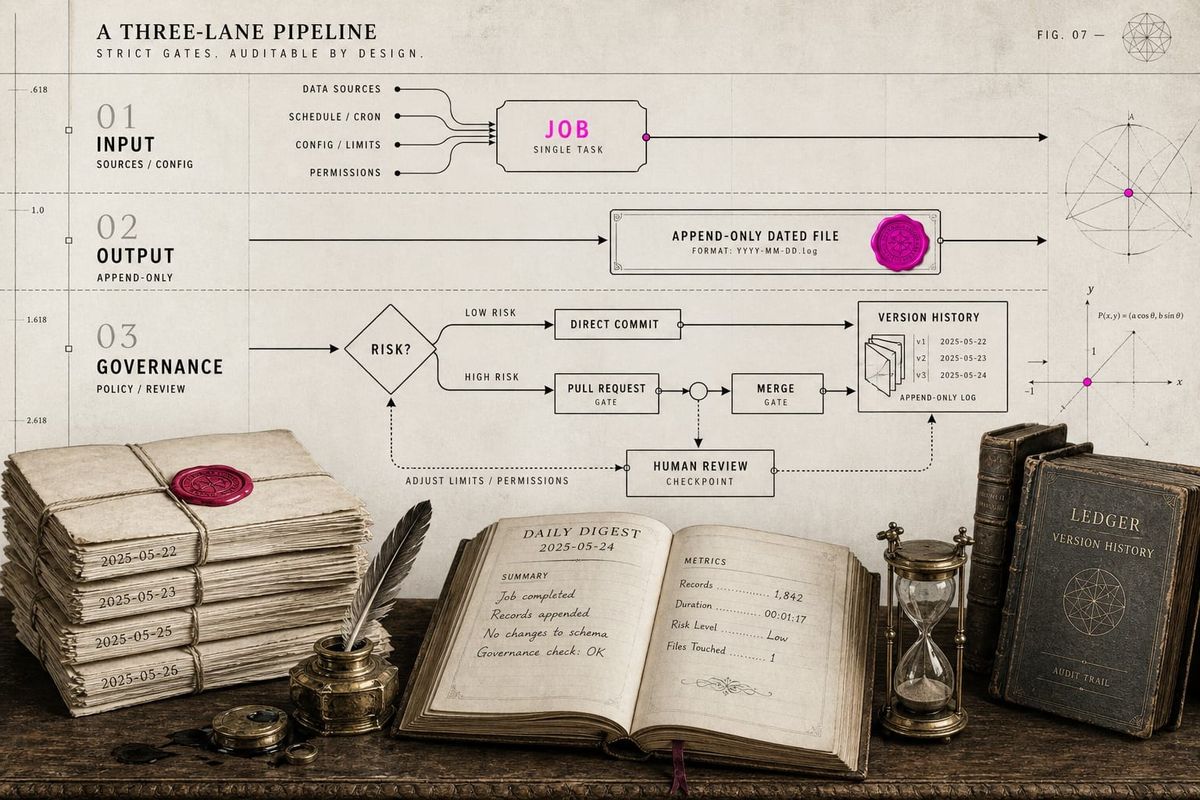
Second, the output can land in the same versioned workspace where you already keep your second brain. The agent does not just send you a vague notification. It writes a file, opens a pull request, commits a digest, or updates a project folder.
That makes the work inspectable.
A daily research assistant becomes much more useful when its output is a dated file in a repository. You can search it, compare it, cite it, archive it, or ask another agent to synthesize the last two weeks.
This is the difference between a stream of AI answers and a growing body of work.
Design the output before the automation
The mistake is to start with the automation tool.
The better question is: what should exist after the automation has run?
For a research assistant, the answer might be:
feeds/2026-06-15.mdInside that file, you might want a short summary, the most important links, relevance notes, and suggested follow-up tasks. The output should be useful even if you never look at the workflow logs.
That is the test.
If the automation succeeds, it should leave behind a clear artifact.
The reframe
Offline automation is not about replacing your judgment.
It is about moving preparation out of your attention window.
The agent gathers. The agent formats. The agent leaves a trail. You review.
That is a healthier model than asking an agent for everything on demand. It gives your workspace rhythm. It also makes your AI setup feel less like a chat tool and more like an operating system.
For paying members, I also wrote the practical setup: How To Run Offline AI Automations With GitHub.
Have a great day!
Matthias